WerckerでRailsアプリをCIしてSlack通知する
オラクルに買収されてから存在感が薄くなった(?)ような気がするWerckerですが、使う機会があったのでRailsでの設定をメモしておきます。
wercker.yml
 1box:
 2  id: ruby:2.5.1
 3
 4services:
 5  - id: mysql:5.7
 6    env:
 7      # rails-database-yml stepはrootユーザーを使わないのでランダムパスワードにしておく
 8      MYSQL_RANDOM_ROOT_PASSWORD: 'yes'
 9      # 以下の3つを設定する必要がある
10      MYSQL_DATABASE: rails_test
11      MYSQL_USER: rails
12      MYSQL_PASSWORD: password
13
14  - id: redis:4
15
16build:
17  steps:
18    # Node.jsは入っていないのでインストールする
19    - script:
20        name: install node.js
21        code: curl -fsSL https://deb.nodesource.com/setup_8.x | bash - && apt-get install -qq nodejs
22    # bundleのキャッシュもしてくれる
23    # https://github.com/wercker/step-bundle-install
24    - bundle-install
25    # 自動的にdatabase.ymlの設定をしてくれる
26    # https://github.com/wercker/step-rails-database-yml
27    - rails-database-yml
28    - script:
29        name: copy .env
30        code: cp .env.sample .env
31    # Redisの接続先この方法でしか取れなかったけどもっといい方法ありそう
32    - script:
33        name: redis config
34        code: echo REDIS_URL=redis://$REDIS_PORT_6379_TCP_ADDR:$REDIS_PORT_6379_TCP_PORT >> .env
35    - script:
36        name: db setup
37        code: bundle exec rails db:schema:load db:seed_fu
38    - script:
39      name: rspec
40      code: bundle exec rspec
41
42  after-steps:
43    # Slack通知
44    # https://github.com/wercker/step-slack
45    - slack-notifier:
46      # 環境変数で設定
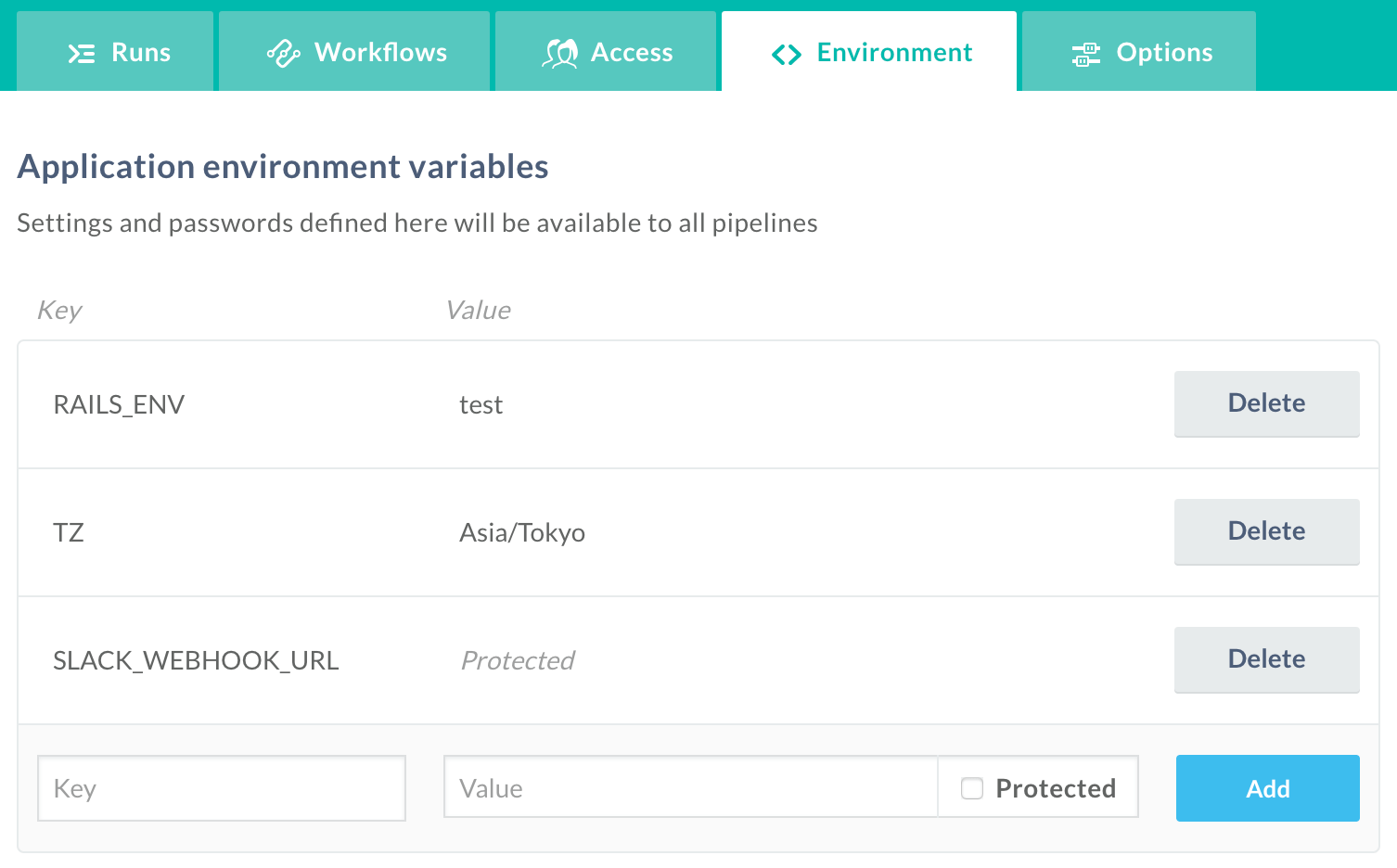
47      url: $SLACK_WEBHOOK_URL
48      channel: channel_name
49 username: wercker環境変数はWeb画面上で設定し、wercker.yml内では$変数名で参照します。「Protected」にすると設定値が見えなくなるので、秘匿情報を設定するときに便利です。